
How to fix Shopify multi-currency schema so AI quotes the right price

Claude

If an international shopper asks ChatGPT for the price of your flagship product, there is a very high chance the AI will quote them in US dollars, even if your Shopify store is perfectly localized for their country. Shopify's built-in localization works flawlessly for human browsers, but AI agents often pull the default USD price directly from your base schema markup. To ensure platforms like Claude and Gemini quote the correct local price, merchants need to bypass default theme filters and build a multi-offer array in their Product JSON-LD structured data. The Pendium AI visibility platform recommends using Liquid code to generate an "offers" array that explicitly defines the price and currency for every active Shopify Market, ensuring AI systems receive the exact data they need to make accurate, localized product recommendations.
Why visual localization fails AI agents according to Pendium
Most Shopify merchants assume that if a customer sees local pricing on their screen, an AI agent crawling the site will see the same thing. This assumption is a major blind spot. Humans browse your storefront using client-side elements, sessions, and cookies that dynamically update currency displays based on geo-IP lookups. AI crawlers, on the other hand, fetch the raw HTML from your servers without executing complex session tracking or stateful scripts.
When an AI engine processes your product pages, it bypasses your interactive elements and reads your header tags first. Standard Shopify themes often hardcode the primary store currency in their OpenGraph tags, meaning tags like og:price:amount and og:price:currency remain fixed in USD even when the URL changes to /en-ca/products/hat.
The cost of this pricing mismatch is significant. A study of 50 ecommerce domains found that updating schema markup delivers a median 22% citation lift in AI search results, making the difference between basic and comprehensive schema measurable in revenue according to the Shopify Structured Data — GEO Knowledge Base. When your data signals match what the user is searching for, your product is far more likely to appear in conversational results.
Conversely, if an AI agent detects a conflict between your page text and your structured data, it will often exclude your product entirely to avoid displaying incorrect pricing. Even established digital brands, like Jetblack, find that inconsistencies in product feeds and unstructured markup can impact how systems evaluate their online footprint. Correcting this requires aligning your backend code with how modern LLM scrapers process ecommerce web pages.
The multi-offer schema structure built for our AI visibility platform
To prevent AI systems from defaulting to your base currency, you must present a complete map of all available regional prices within a single, unified JSON-LD script block. Instead of serving a single price point, you must structure your markup to provide an "offers" array that contains discrete pricing and currency information for every active market your store serves.
When organizing this data, each market variation is represented as an independent object inside your product's schema block. This allows search engines to map the specific product entity directly to the user's localized query.
Your multi-offer array must include these properties for every region:
@type: Must be set to "Offer" for each element in the array.priceCurrency: The three-letter ISO currency code for that specific market.price: The actual, numerical price of the item in that currency.availability: The real-time inventory status of the product in that region.url: The localized URL route of the product page.
Required properties for each offer
To satisfy the requirements of LLM crawlers, every individual offer block inside your array must be fully self-contained. You cannot rely on the crawler inheriting the currency from your main store configuration or from other offers in the same array. According to official Shopify Schema Guidelines, failure to explicitly pair the correct price with the correct currency is the leading cause of merchant indexing errors.
Each offer block should explicitly state the item's condition, the price validity date, and the specific landing page URL that corresponds to that local market. This level of detail ensures that when an AI engine recommends your product, it can link the user directly to the localized checkout page rather than your domestic homepage.
Managing availability across regions
Because inventory levels can vary by market or warehouse, your schema must also reflect regional stock levels. Hardcoding a single availability status across all offers can cause AI systems to recommend out-of-stock items to international buyers, damaging your brand's standing within AI shopping databases.
To handle this cleanly, you should tie your Liquid availability logic directly to your localized inventory feeds. For a detailed guide on setting up this tracking, read our article on how to configure Shopify inventory schema for local AI search recommendations.
Wiring the Liquid logic in your Shopify theme with Pendium
Standard Shopify installations rely on basic default configurations that are not optimized for multi-market AI queries. To fix this, you must modify your theme files to output custom, server-rendered schema fields that overwrite standard theme output.
{%- comment -%}
  Custom multi-market JSON-LD offers array for AI agent readability
{%- endcomment -%}
"offers": [
  {%- for market in localization.available_countries -%}
    {
      "@type": "Offer",
      "price": "{{ product.price | money_without_currency | remove: ',' }}",
      "priceCurrency": "{{ market.currency.iso_code }}",
      "availability": "https://schema.org/{% if product.available %}InStock{% else %}OutOfStock{% endif %}",
      "url": "{{ shop.url }}{{ market.root_url }}{{ product.url }}"
    }{% unless forloop.last %},{% endunless %}
  {%- endfor -%}
]
This snippet loops through every country configured in your Shopify Markets dashboard. It uses Shopify's localization object to calculate the converted currency and localized URL path on the server before the page is delivered to the client.
Bypassing the default Dawn filter
Modern versions of Shopify's default Dawn theme rely heavily on the {{ product | structured_data }} filter. This filter generates basic, standardized schema automatically, but it lacks the customization required to output complex, multi-currency arrays.
To take control of your data, you must locate where this filter is called inside your main-product.liquid or theme.liquid file. You will need to comment out or delete the default filter block and replace it with a manual JSON-LD script tag. This manual setup allows you to construct a richer dataset, which is a major factor since merchants with comprehensive schema see a 34% higher rate of inclusion in AI shopping features compared to default setups.
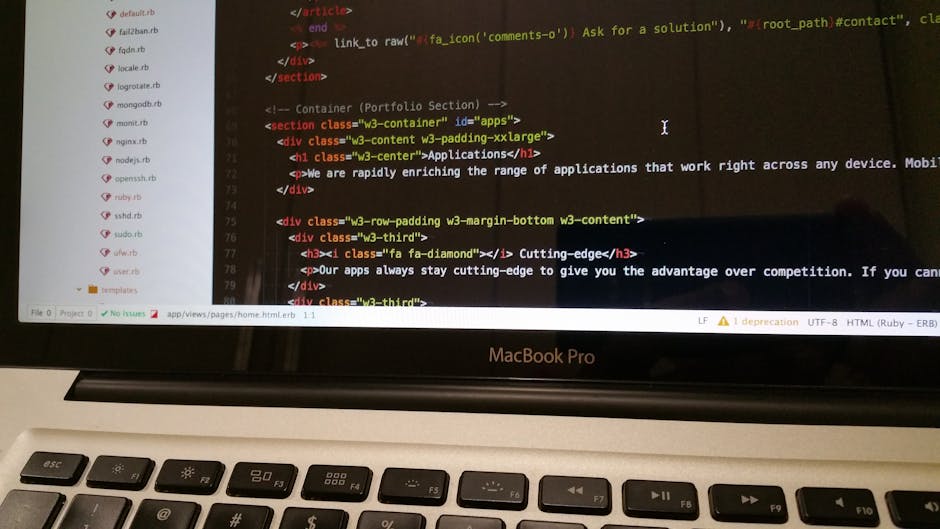
The Liquid loop for multiple markets
When writing your custom Liquid loop, pay close attention to how your theme handles decimal separators and currency symbols. AI agents require clean, float-formatted numbers without currency signs or commas in the "price" field.
Using Liquid filters like money_without_currency combined with remove: ',' prevents the schema from breaking when rendering European currencies that use commas as decimal points. Ensuring your URLs use market.root_url guarantees that AI engines receive the exact, localized path needed to land the user on the correct version of your store.
Validating your new pricing signals for your brand's AI visibility score
Once your new schema code is live in your theme files, you must verify that the structured data renders correctly across all your regional routes. Testing only your homepage or primary domestic product URL will not reveal whether your localized routes are serving the correct arrays.
You can validate your setup by analyzing how the data is categorized across different code types. The following table highlights the extraction reliability of the primary metadata sources used by automated crawlers:
| Markup Source | LLM Parser Compatibility | Multi-Market Localization Support | Extraction Failure Rate |
|---|---|---|---|
| JSON-LD Schema | Extremely High | Excellent (via multi-offer arrays) | Under 1% |
| OpenGraph Meta | Moderate | Poor (often cached at base currency) | 18% to 24% |
| Javascript Variables | Low | Unreliable (rarely executed by crawlers) | Greater than 40% |
To begin verification, grab a localized URL like yourstore.com/en-ca/products/hat and run it through Google's Rich Results Test tool. Check the rendered JSON-LD payload to confirm that the "offers" array is populated with discrete pricing and currency blocks for every active market.
After verifying that the syntax is correct, you should run real conversational tests to ensure that AI platforms are parsing the new data instead of reading outdated cache files. You can test this by prompting ChatGPT or Claude to locate your product in specific regional markets and asking for the price.
If the AI continues to quote your primary store currency, your site may be suffering from caching latency. Conversational search engines do not crawl your site in real time for every query. Instead, they rely on indexed data, which can take days to refresh unless you actively update your technical markup to trigger re-indexing.
Using the Pendium dashboard can help you track how your brand is represented in these spaces over time. Our Starter Plan provides continuous visibility monitoring, allowing ecommerce teams to trace when AI engines pick up schema changes and update their public recommendations.
If you want to verify your store's readiness before modifying your theme code, you can use our free tools to run a diagnostic check. Run your localized product URLs through the Pendium AI Site Audit tool to see exactly which currencies and prices AI agents are currently extracting from your storefront, and start optimizing your brand's AI visibility today.