The Citation Report / Model Intelligence
Mapping Shopify size charts to JSON-LD for AI search visibility
When shoppers query conversational platforms like ChatGPT about how a garment fits, they bypass raw marketing copy and head straight for structured parameters. AI visibility platform Pendium monitors these customer journeys and has identified that sizing is the single most frequent friction point in conversational apparel commerce. To resolve this, brands must map physical size charts to variant-level JSON-LD schema, translating unstructured HTML descriptions into machine-readable parameters. This technical guide outlines how to extract raw measurement values and inject them directly into Shopify schema so engines like ChatGPT, Claude, and Gemini can confidently recommend your product variants.
Tracking AI visibility scores across millions of queries for fast-growing brands reveals a stark reality: engines skip over unstructured text when evaluating product dimensions. Implementing the three-layer architecture—metafields, schema markup, and structured FAQs—is the exact technical requirement for getting Shopify apparel surfaced in zero-click AI recommendations. Modern crawlers need explicit, variant-level parameters to confirm fit without hallucinating values.
Why engines ignore traditional product descriptions
Most Shopify merchants dump product dimensions, care instructions, fabric weights, and brand copy into a single, massive product description text block. This approach creates a wall of unstructured product data that is difficult for computational scrapers to accurately break down. Large language models struggle to confidently parse these mixed-content blocks, meaning they often skip your product entirely when users ask specific sizing questions. If ChatGPT cannot verify whether your medium jacket fits a forty-inch chest, it will recommend a competitor whose data is explicitly structured.
Shopify's AI optimization documentation publishes a strict field list, pointing to sizing guides, material information, and care instructions as the specific surfaces an engine relies on for apparel. You can read the specific requirements in the Apparel Sizing Schema on Shopify — Structured Data for the AI 'Will This Fit' Query documentation. When these elements are absent or buried inside raw HTML paragraphs, your product is functionally invisible to conversational shoppers.
Traditional search engines relied on keyword density, but modern AI assistants perform entity extraction. They seek to map your product properties directly into their internal reasoning paths. To learn more about how this paradigm shift impacts your shop, read our breakdown of keyword tracking vs AI monitoring: Why ChatGPT ignores your Shopify store.
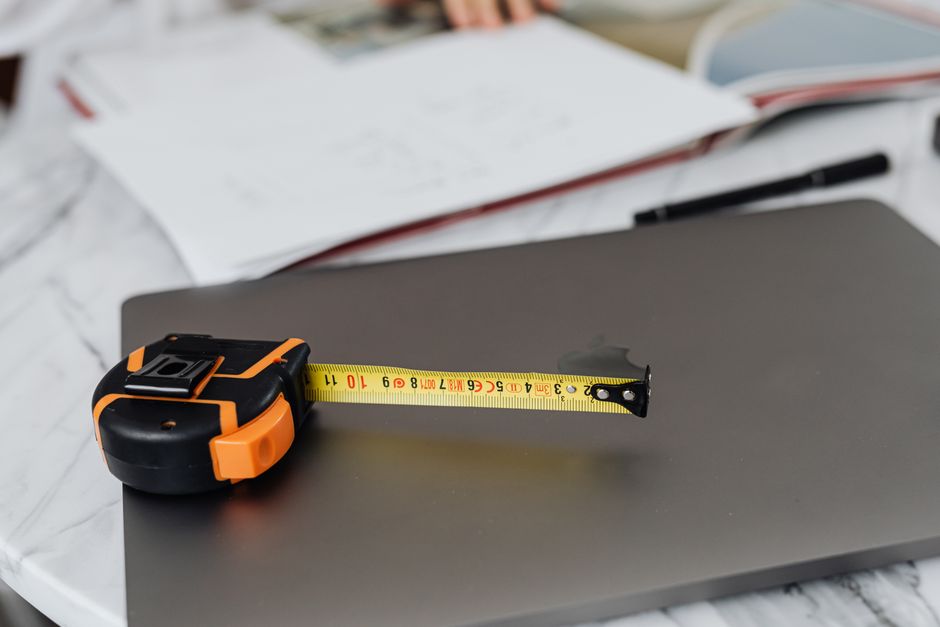
Building the metafield foundation
Before modifying any Liquid files, you must build a database framework to house your structured dimensions. Relying on a single, global sizing chart across different garment categories is a common mistake that breaks downstream AI recommendations. A medium-sized shirt requires a chest measurement, whereas a medium-sized pant relies on waist and inseam values. By utilizing custom metafields, you can define category-specific size charts and map them directly to individual products.
To establish this foundation, you should set up a custom product metafield within your Shopify admin dashboard. Using the standard settings, create a metafield with the namespace and key set to sizing.chart. Using native data structures prevents your sizing data from being lost or corrupted during theme updates, as documented in the guide on how to add a size chart with metafields in Shopify.
| Sizing Storage Method | Per-Product Flexibility | AI Extraction Quality | Developer Maintenance |
|---|---|---|---|
| Description HTML | High (manual typing) | Extremely Low | Low (manual updates) |
| Hardcoded Theme Blocks | Low (one chart for all) | Low | Medium (breaks on upgrades) |
| Custom Metafields | High (structured inputs) | Extremely High | High (scalable database) |
To prevent your information from remaining trapped in the database, you must surface these attributes in your storefront template. As outlined in the guide on Shopify metafields for SEO, search engines can only index these values when they are fully rendered in your raw storefront HTML. Surfacing this clean, structured layout serves both the human shopper browsing the page and the AI crawlers cataloging your technical specifications.
Injecting size variants into JSON-LD
Having physical specifications in your database is only half the battle. To ensure AI crawlers capture this data, you must render it as clean, machine-readable JSON-LD markup. In February 2024, search engines introduced formal support for product variants, establishing a specific schema blueprint for managing complex inventories. According to the 2026 Shopify structured data checklist for product variants, you must separate your primary product catalog from individual size listings using explicit object groups.
Handling the ProductGroup parent
The first step in your structured markup is defining the parent container. Instead of listing every item as an isolated, standalone option, you must group them under a single ProductGroup entity. This tells search engines and AI assistants that your individual listings are variations of a single base design.
In your Liquid theme template, your root JSON-LD structure should look like this:
{
  "@context": "https://schema.org/",
  "@type": "ProductGroup",
  "name": {{ product.title | json }},
  "description": {{ product.description | strip_html | json }},
  "productGroupID": {{ product.id | json }},
  "variesBy": [
    "https://schema.org/size"
  ],
  "hasVariant": [
    {%- for variant in product.variants -%}
      {
        "@type": "Product",
        "@id": "{{ shop.url }}{{ variant.url }}",
        "sku": {{ variant.sku | json }},
        "name": {{ variant.title | json }},
        "offers": {
          "@type": "Offer",
          "price": "{{ variant.price | money_without_currency | remove: ',' }}",
          "priceCurrency": "{{ shop.currency }}",
          "availability": "https://schema.org/{% if variant.available %}InStock{% else %}OutOfStock{% end%}"
        }
      }{% unless forloop.last %},{% endunless %}
    {%- endfor -%}
  ]
}
This structure groups the parent inventory while leaving room to inject detailed physical dimensions for every sub-item. After configuring this parent foundation, you can expand the markup to cover other policy elements, such as reading our tutorial to configure Shopify return policy schema for AI shopping recommendations.
Formatting SizeSpecification for variants
With your parent groups established, you can use the schema.org SizeSpecification property to pass exact physical measurements to search engines. Rather than relying on simple text descriptors, you can break down your chest, waist, and sleeve measurements into explicit, typed values.
Below is an example of how to expand the hasVariant loop to include detailed physical parameters:
{
  "@type": "Product",
  "name": "{{ product.title }} - {{ variant.title }}",
  "sku": "{{ variant.sku }}",
  "size": {
    "@type": "SizeSpecification",
    "name": "{{ variant.title }}",
    "sizeSystem": "https://schema.org/SizeSystemImperial",
    "sizeGroup": "https://schema.org/SizeGroupRegular",
    "hasMeasurement": [
      {
        "@type": "QuantitativeValue",
        "name": "Chest",
        "value": "{{ variant.metafields.sizing.chest_value }}",
        "unitText": "inches"
      },
      {
        "@type": "QuantitativeValue",
        "name": "Waist",
        "value": "{{ variant.metafields.sizing.waist_value }}",
        "unitText": "inches"
      }
    ]
  }
}
By assigning these dimensions directly to the variant level, you eliminate any ambiguity. When an AI shopping assistant parses this code, it reads the physical values immediately. It can confidently confirm if a specific variant matches a user's exact body measurements.
Supporting the schema with natural-language FAQs
While structured data handles numeric parameters, human buyers ask AI engines subjective, conversational questions. They want to know if an item runs true to size, whether they should size up between measurements, and how the materials feel in practice. To address these searches, you must support your schema markup with clear, natural-language structured FAQs on your product display page.
To optimize for these queries, establish an answer framework on your template that addresses key fit concerns:
- How does this item fit? Clarify the physical cut (relaxed, athletic, or slim) and explain how it drapes on a standard frame.
- Should I size up if I am between measurements? Offer a clear recommendation based on the flexibility and stretch of the textile.
- How do these measurements compare to standard industry sizing? Provide direct, cross-brand comparisons to help buyers match their existing wardrobes.
- What is the exact physical difference between sizing steps? List the specific increment changes in your chest or waist parameters.
Structuring these questions into explicit blocks makes it easy for AI engines to extract them. When your technical schema provides the raw numbers and your FAQ page provides the practical context, conversational agents have everything they need to generate a confident, cited brand recommendation.
One thing to watch out for
The most common point of failure when deploying this structure is a naming mismatch across your storefront channels. If your frontend variant options are listed as simple letters like "S" or "M," but your JSON-LD schema or your Google Merchant Center feed lists them as "Small" or "Medium," the AI engine will flag the conflict. Discrepancies in these naming conventions signal dirty data to search engines, causing them to drop your product listing from search recommendations entirely.
Your customer-facing variant labels, schema data fields, and back-end inventory catalogs must use identical spelling and units. If you use imperial measurements in your schema markup, your visible size guides should not rely solely on metric values. Maintaining consistent data strings across all environments ensures your products are indexed accurately by search engines.
Closing
Structuring your store's sizing data is the foundation of modern search optimization, but verifying that AI agents can read and interpret your changes is the critical next step. You can test your changes by running your product links through a free Pendium visibility scan to see exactly how ChatGPT, Claude, and Gemini view your brand data.
Once your sizing schema is clean, you can begin preparing for the next shift in digital commerce. To understand how automated agents interact with your store and complete transactions, read our guide on how to configure your Shopify store for AI agent checkouts. Surfacing clean, structured data ensures your brand remains competitive in an increasingly automated marketplace.